Your AI sessions,
logged in your own words
Always know what happened and what's next,
across agents, sessions and projects

Safe on your deviceNo provider lock-inNo AI-generated bloat
Your intent lives in your head and AI tests it with each new direction.
Holding everything in your head is exhausting.
It's even worse after a break. Retracing your steps from chat logs, commits and scattered notes adds up.
When you finally get the full picture, you know what happened, not what you planned to do next.
Without it, AI will soon distract you with a new direction.
AI memory keeps the agent's context, not your intent.
agent purpose highlights
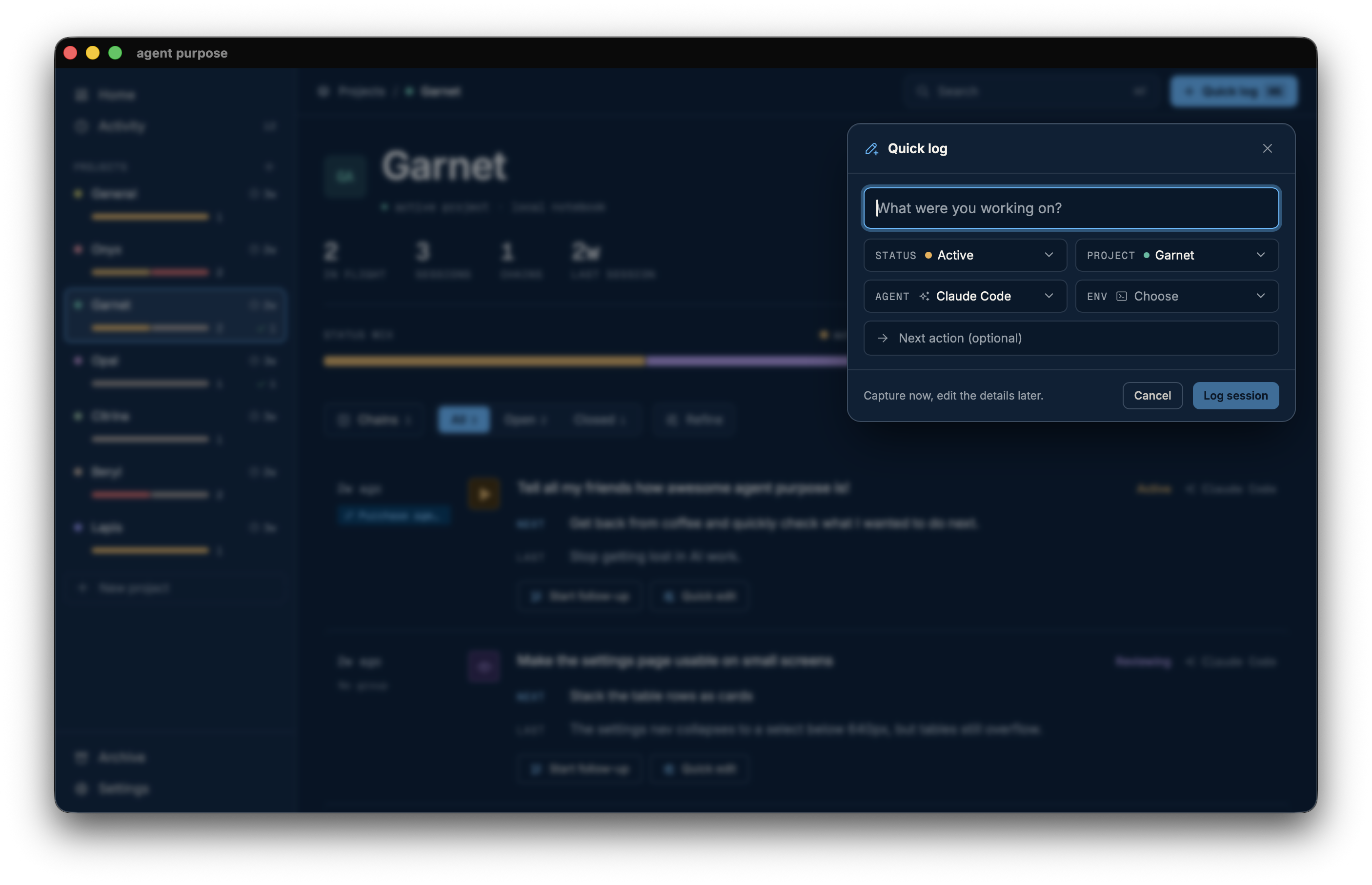
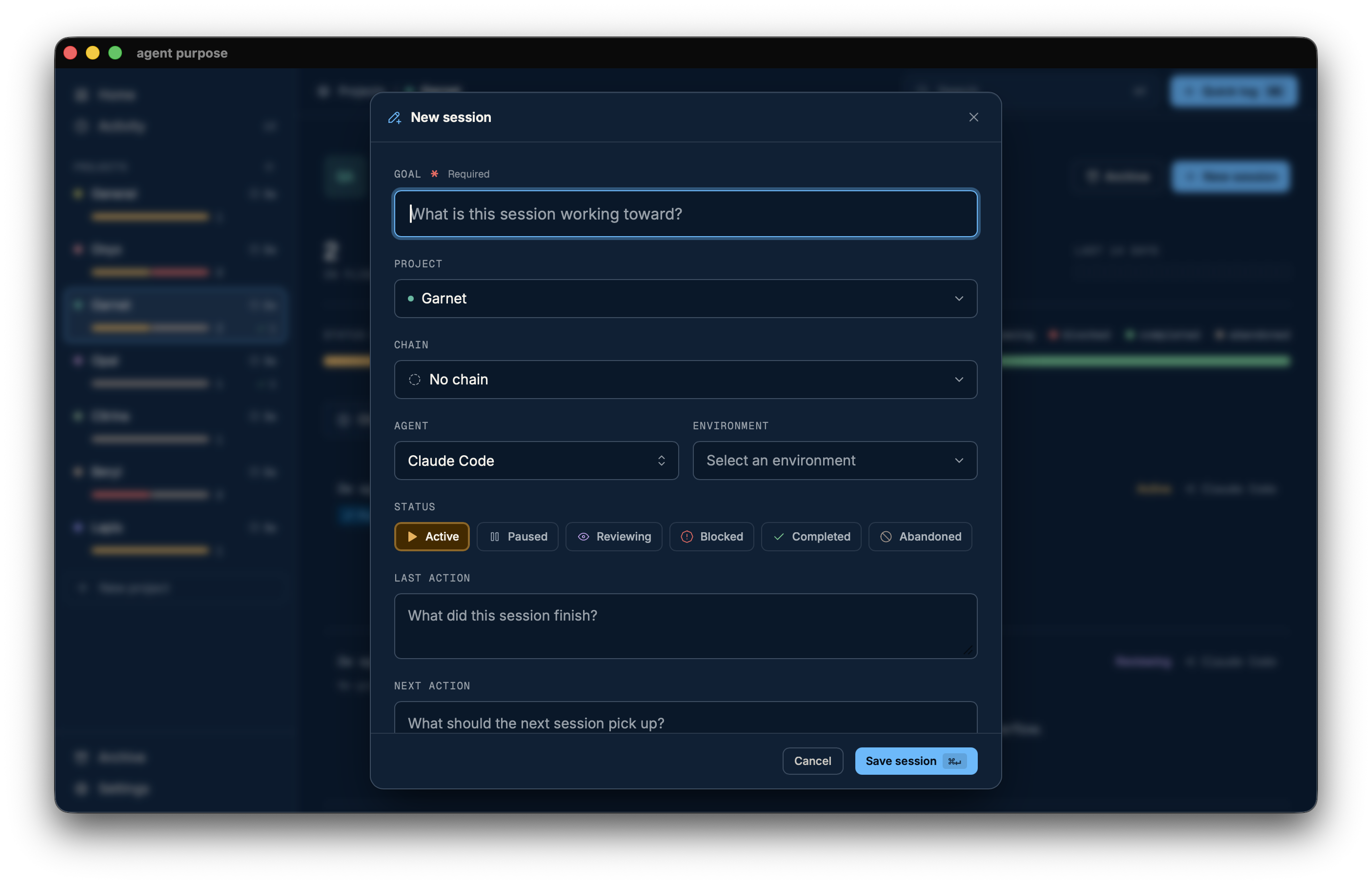
Log in seconds
- Use quick capture to log the essence of your session
- Log from the macOS menu bar without switching apps
- Save time with keyboard shortcuts in the app
- Log more details with the full session form to plan in advance
One place across work
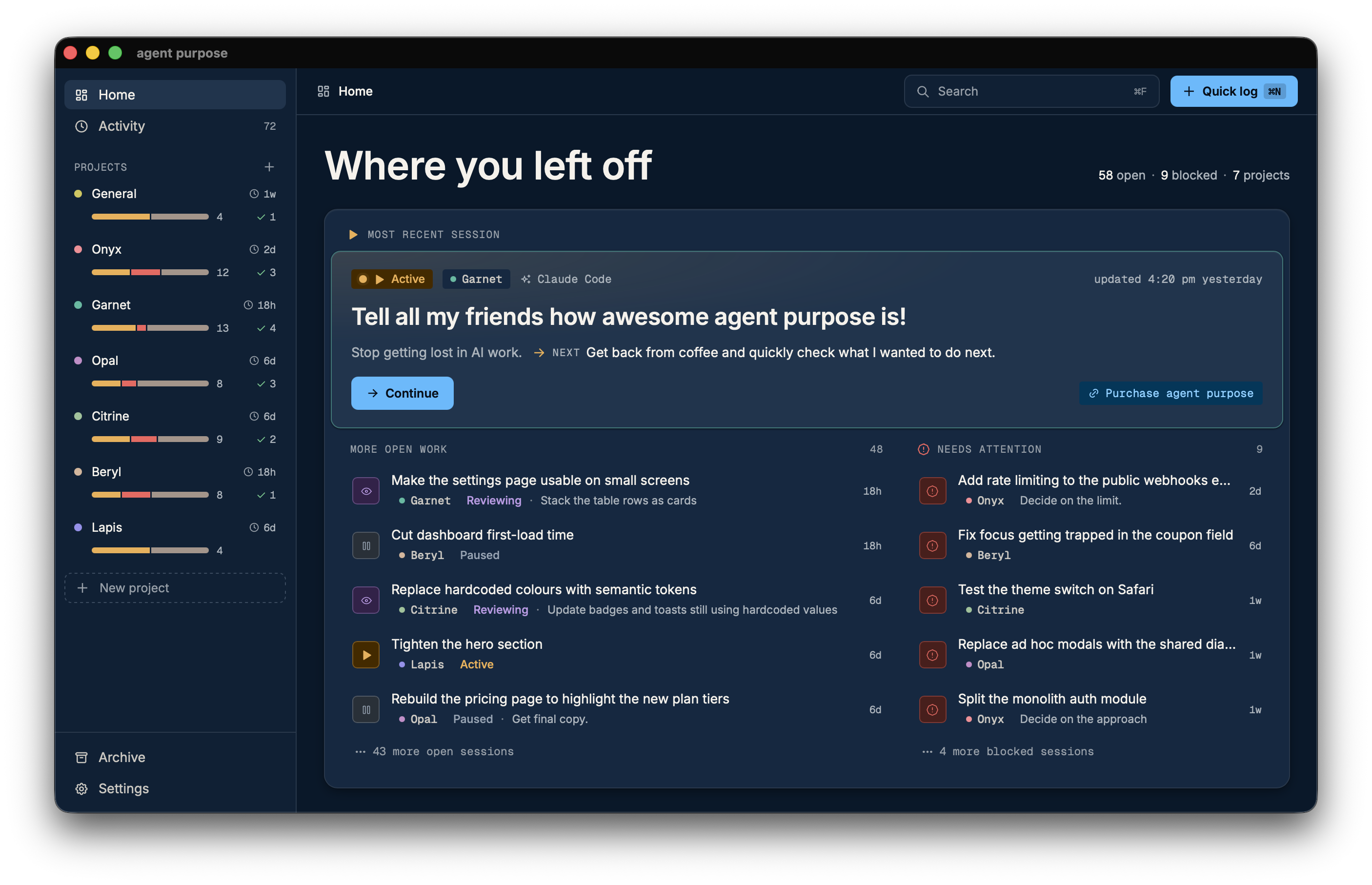
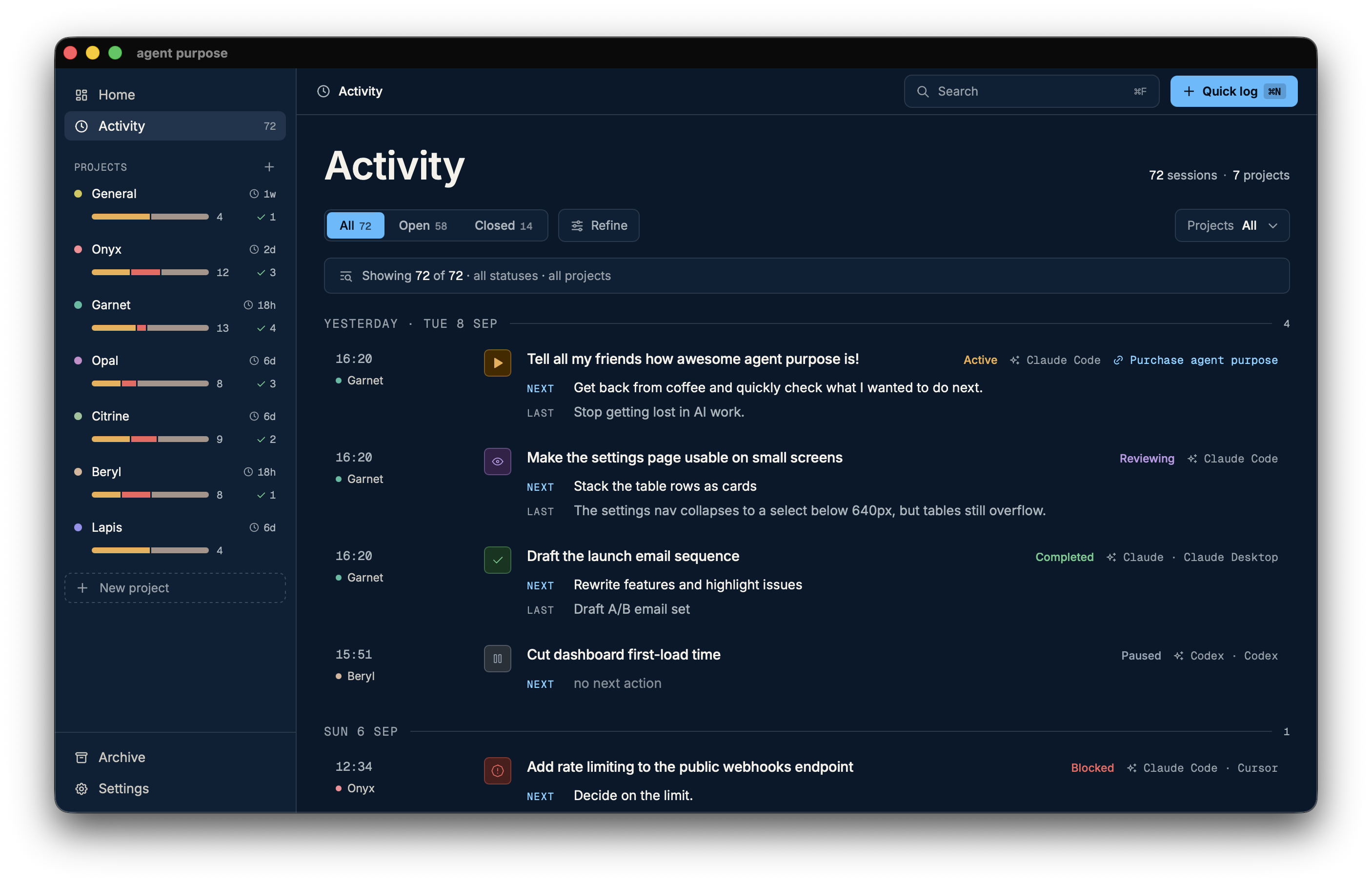
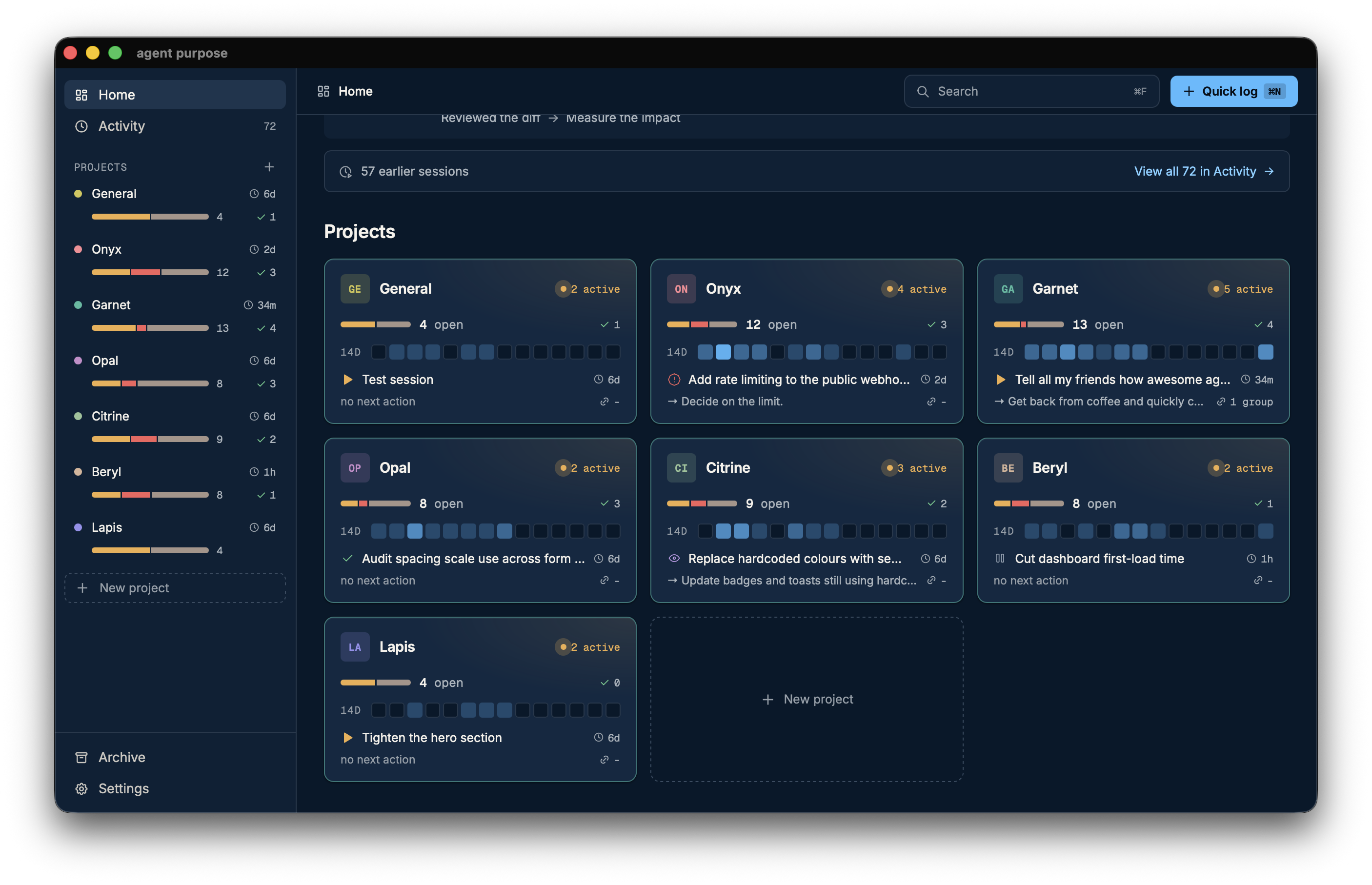
- Get an overview across every project and session
- Use filters to see what you need now
- Save mental space by navigating a clean surface, not dynamic AI output
- Create a history of all your AI work across providers and environments
Session essentials
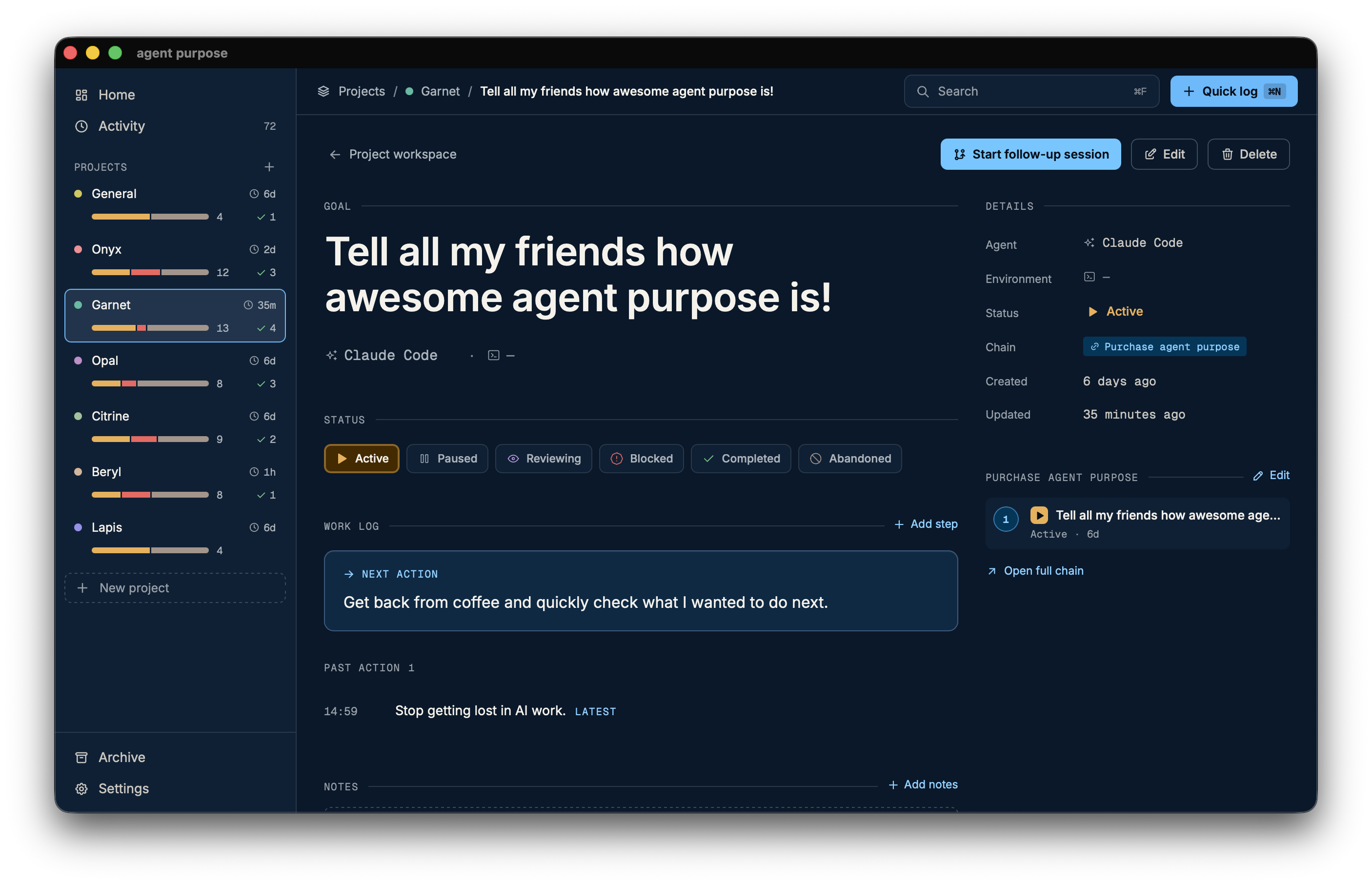
- Know where you left off in seconds, in one view
- Capture as little or as much as you need
- Save time retracing your steps and key events
- Keep track of where the work happens
- Chain sessions into groups to see the sequence of sessions
Instant project pulse
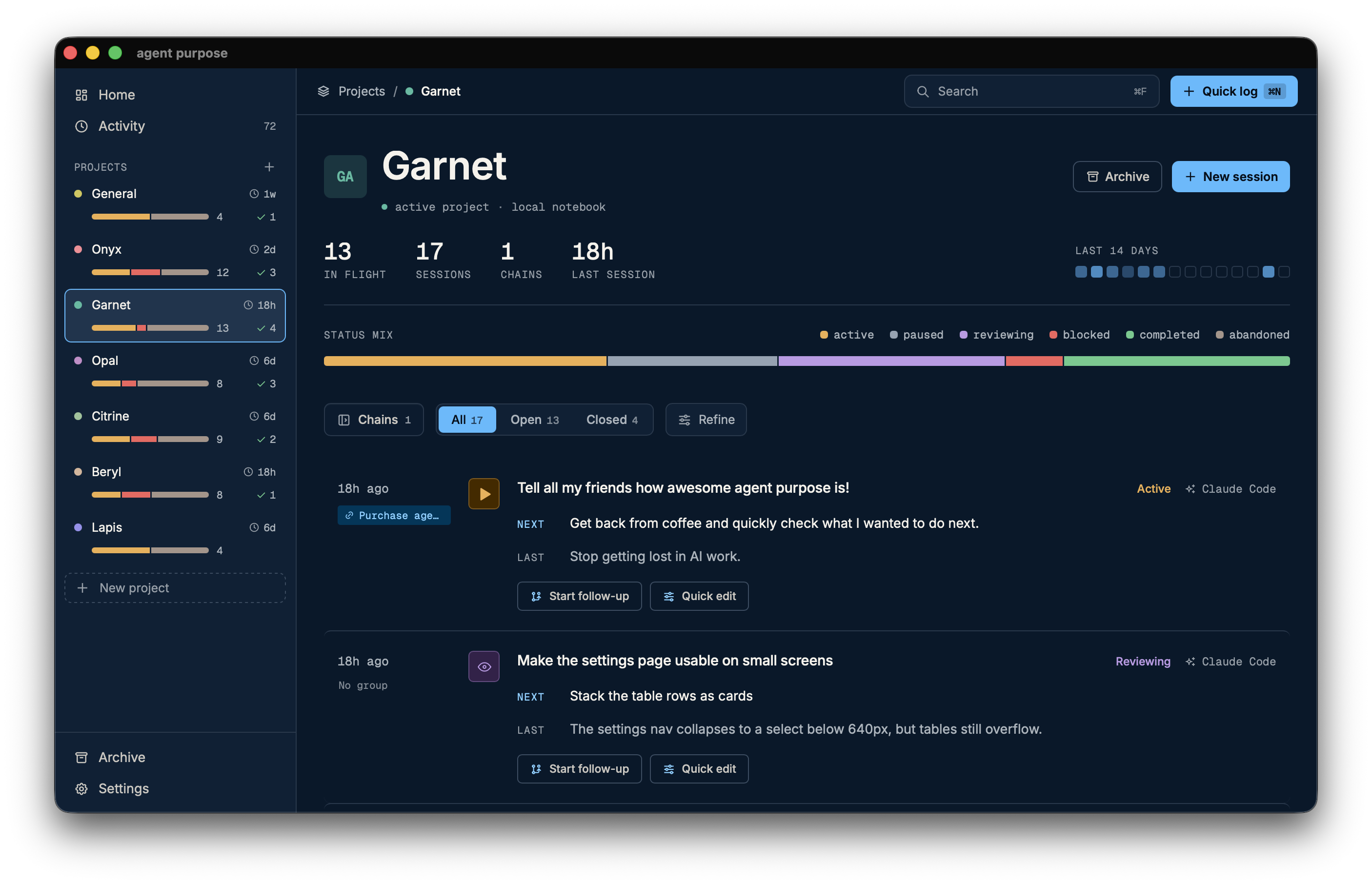
- See the state of a project instantly
- Manage multiple sessions with statuses
- Use filters to get the information you need in seconds
- Save time picking up projects you haven't touched for a while
Flexible search
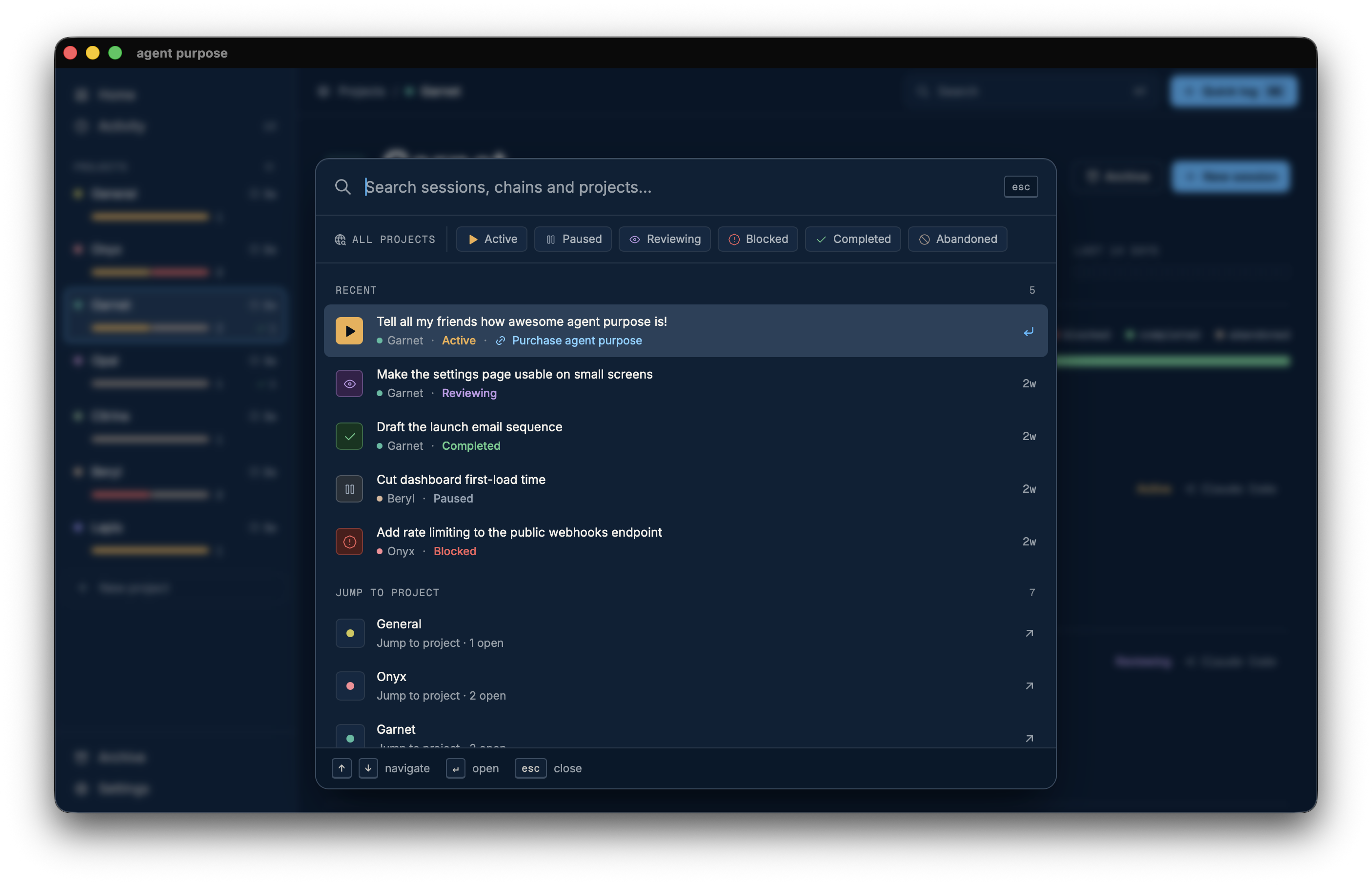
- Use powerful search to find any session, chain or project
- Get back to where you left off in seconds with keyboard shortcuts
ChainsGroups for assigning sessions to larger themes and keeping the sequence of work.
StatusesMultiple session statuses for better filtering and a clearer overview.
ArchiveArchive to clear the way but still keep the records.
Follow-upsEven faster logging with a follow-up mechanism to continue from the session you just logged.
Agents and environmentsFlexible options to tailor session details to the tools you use.
Menu bar quick logFast logging without stopping what you're doing.
Available now on the Mac App Store
Get agent purposeAbout agent purpose
I ran agents in Visual Studio Code, terminals, AI desktop apps, solving multiple issues across projects, and kept losing which one was supposed to do what.
Writing it down lacked structure and I was piecing it together between notes, shared docs, my phone. I had to find all that on top of the AI work.
Now I have one app that saves me time and mental space, so I can focus on what I want to do next.
Frequent questions
Does the app capture my sessions automatically?
No. You keep them sharp by logging what you need. Use "Quick log" to capture in seconds, or "New session" for more details upfront.
agent purpose is designed with privacy in mind and AI doesn't read your content.
If you want to automate the process, use a skill for AI to fill out your session details. We use markdown to make agent purpose flexible to fit many workflows.
Does agent purpose use AI inside?
No, there is no AI inside. Nothing is summarised, suggested or written for you.
If you want to automate the process, use an AI agent skill for your agent to create entries for agent purpose. We made the app flexible to match multiple workflows and balance employer security requirements.
Where does my data live?
Your data is safe on your laptop. agent purpose uses markdown files stored on your laptop. We do not access them.
No account or sign-in is required. You don't even need a network connection.
Is this a task tracker?
agent purpose holds information about your sessions and is your personal memory system for AI-assisted work. You can record the status of the work and where it happened, but there are no assignees, due dates or backlog to groom. agent purpose is a personal tool.
Does it work with multiple AI providers?
Yes. agent purpose does not connect to any provider. You write the log yourself, so sessions from every agent and environment end up in the same list. Switching tools breaks nothing: your entries are markdown files that stay with you.
Is it a one-time purchase?
Yes. You pay once and the app is yours. No subscription, no monthly fee.
Get agent purpose